


 6 minutos de lectura
  Listen to article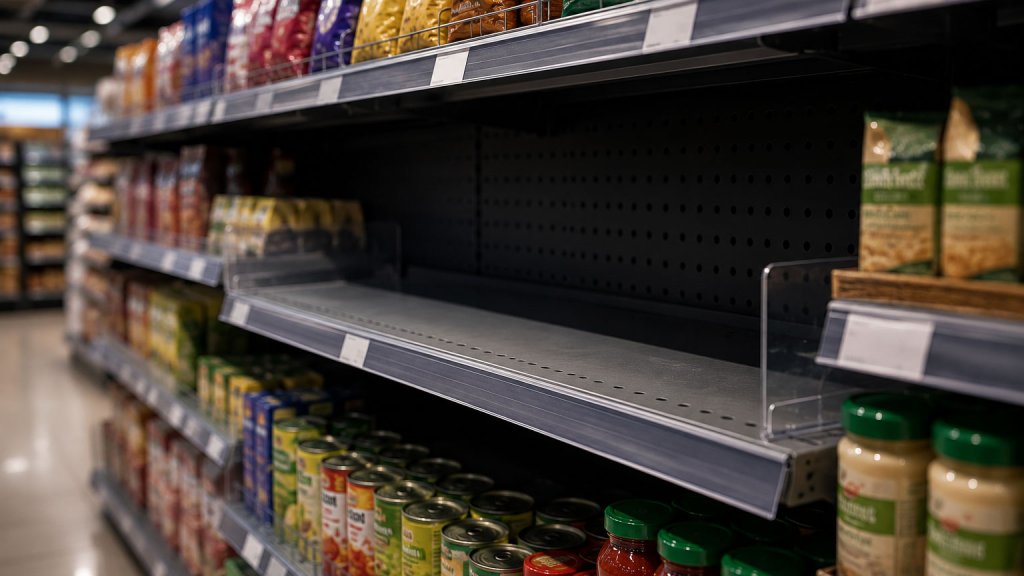
Picture yourself walking through the store, trying to see the operation as a customer would. As you move down the aisles, you notice empty shelf space, products that are sold out, and dead zones where an active display should be.
You check the system, and it shows positive inventory. You ask the team to restock. But when they look for the product in the back room, it is not there. The system said there was stock. In reality, not a single unit exists. That is phantom inventory in retail.
It is one of the hardest problems to catch, precisely because it stays invisible. The system believes everything is fine. The losses, however, are real.
What phantom inventory in retail actually is
Phantom inventory is the gap between what the system records and what actually exists in the store. The system counts units as available, but those units are neither on the shelf nor in the stockroom. They are simply not within the customer’s reach.
This discrepancy carries consequences that build up over time. The reorder point never triggers because the system assumes there is enough stock. The stockout becomes invisible. And as long as the situation goes uncorrected, sales quietly slip away, week after week.
It shows up in two ways. Either the system displays a positive stock count for a product that does not physically exist in the store, or the product is somewhere in the store but out of the customer’s reach, forgotten in the stockroom, or misplaced on the shelf.
The 5 most common causes of phantom inventory
There is no single reason behind the problem. In practice, these are the causes the industry documents most often:
- Checkout scanning errors: when processing a transaction, staff often scan the wrong product, especially for items with variants like flavors or sizes. The system deducts a different SKU than the one that actually left the store.
- Receiving errors: when incoming inventory is logged by pallet or case instead of by unit, it is easy to confirm a quantity in the system that does not match what actually arrived. The discrepancy is born right there, from the very first entry.
- Operational noncompliance: products sit in the stockroom rather than making it to the shelf. This also happens when damaged or written-off items never get removed from the system, leaving “phantom” units in the digital inventory.
- Shrinkage: inventory losses from theft, damage, or internal consumption are not always recorded immediately. Every unit that leaves without being deducted from the system widens the gap between real and recorded inventory.
- Misplaced products: both store staff and customers can move items to a different shelf, tuck them behind other products, or pull them out of their original spot. The system keeps counting them as available regardless.
The real cost to the retail industry
The scale of the problem is bigger than any standard inventory report shows.
Inventory distortion costs retailers 1.77 trillion dollars a year worldwide. Stockouts account for 1.2 trillion of that total loss. In North America alone, the impact reaches 415 billion dollars a year, made worse by rising organized retail crime and supply chain pressure (IHL Group, 2024, via Chain Store Age).
The impact does not stop at the sale lost in the moment. According to AlixPartners (2024), two thirds of shoppers leave the store and turn to a different retailer when they run into a stockout. Product unavailability does not just hit the register. It erodes customer loyalty, and once shoppers leave, they rarely come back.
How to catch the symptoms early
Since phantom inventory never shows up directly in the system, the focus has to shift to spotting abnormal product behavior. Three signals work as early warnings:
- A drop in turnover: a SKU that suddenly sells less than usual, or less than projected, may be off the shelf without the system showing it. Any deviation from the demand forecast is the first thing to flag.
- Zero sales with positive stock: if the system shows available inventory but sales sit at zero, something is off. This is a direct sign of possible phantom inventory, since a product that is actually available normally sells at some pace.
- A sudden shift in sales patterns: when a product’s sales behavior changes with no obvious explanation, such as a seasonal demand dip or a price change, it is worth investigating whether there is a real availability problem.
Catching these symptoms manually is possible, but it gets expensive at scale. The average retailer manages around 16,000 SKUs. Reviewing each one takes time and dedicated staff, which is why many cases go unnoticed for weeks.
How AI detects phantom inventory in retail
To tackle the problem at scale, retailers are increasingly turning to statistical analysis systems built on artificial intelligence and machine learning. These systems do not directly hunt for the root cause. They analyze symptoms across the entire available data set.
Here is how it works. The algorithms combine variables like sales history, demand forecasts, system inventory levels, and store transaction data. From that analysis, they flag whether a product’s sales look anomalous, meaning actual sales do not match what the model would expect for that SKU during that period.
When an anomaly is detected, the system generates a specific alert for each store and for each product. That way, the team knows exactly where to focus the review, rather than walking the entire store with no clear starting point. The algorithms also improve with use: the more data they process, the more accurate their predictions become.
The results are concrete. Retailers that have rolled out AI and machine learning solutions post sales growth 2.3 times higher and profitability improvements 2.5 times greater than their competitors. Yet fewer than 25% of retailers have deployed these tools in the areas hit hardest by inventory distortion (IHL Group, 2024). The upside is significant. The technology already exists and is available, but adoption remains low.
From data to action: how to solve the problem in store
Detecting phantom inventory is just the first step. The real value lies in what happens next: how that information turns into a concrete action for store staff.
The most effective way to get that information to the team is through product-specific tasks. When the system detects an anomaly, it can automatically generate a task for the floor supervisor or stocker to check the SKU. The task can include basic questions: Is there stock in the stockroom? Is the product displayed correctly according to the planogram? Are the price and shelf tag correct?
If the check confirms the problem, a correction task is automatically generated. If units are sitting in the stockroom that never made it to the shelf, a restocking task gets assigned. If there is unrecorded shrinkage, an inventory adjustment gets triggered. Every case has its action, and every action has an owner.
Frogmi does exactly that: it connects product availability alerts to executable, SKU-level tasks for each store. That way, the information does not stay trapped in a report or an email. It reaches the right place, at the right time, with the instruction needed to resolve it.
Phantom inventory is hard to see, but its consequences are real: lost sales, customers who do not come back, and a system that believes everything is fine when it is not. The good news is that the tools to detect and eliminate it already exist.
If you want to understand how your operation can close the gap between recorded and real inventory, Frogmi can show you how.


