


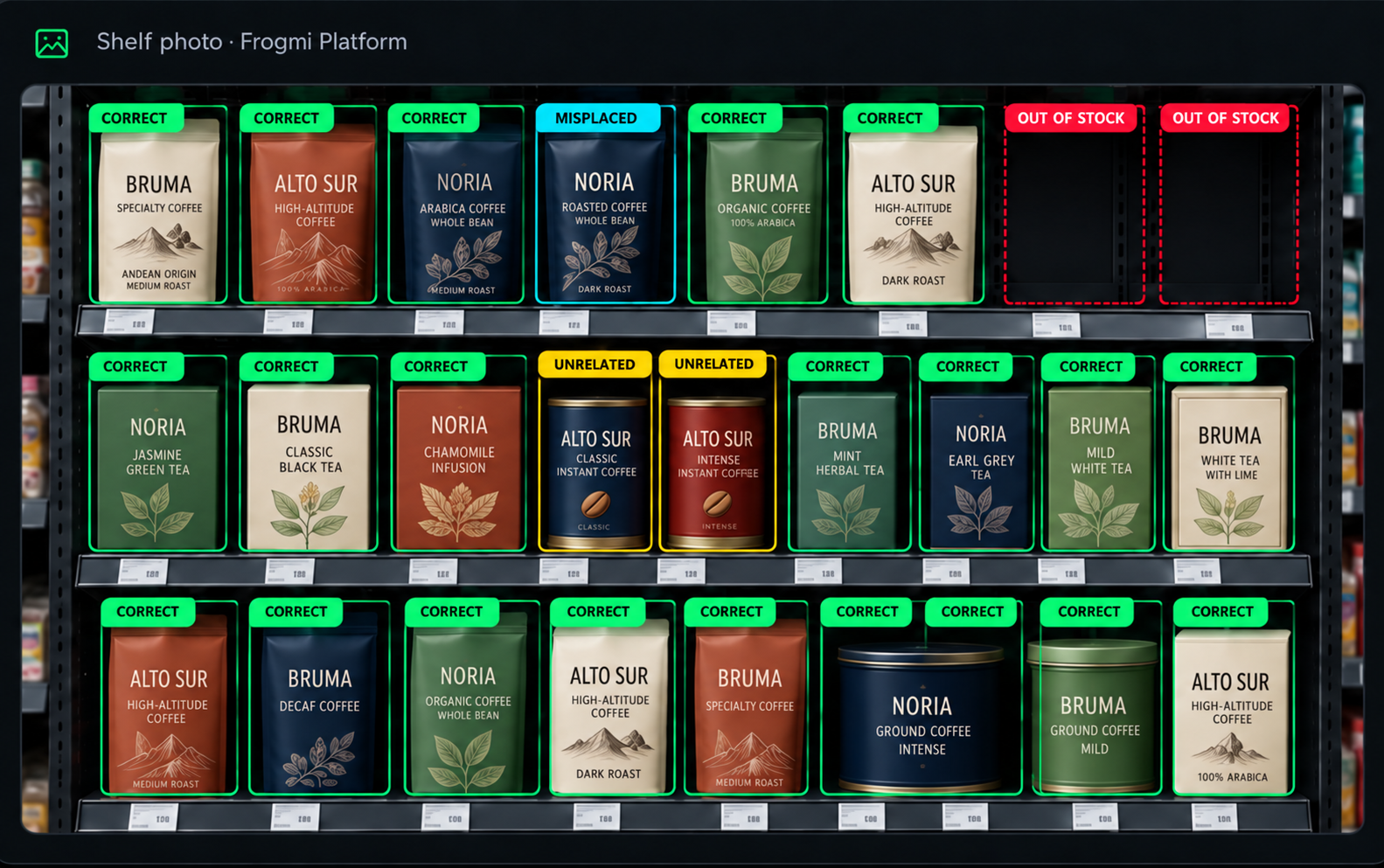
Correct
 Correct
 Right where it belongs
The planned product, in its position and on its shelf level. Execution matches the planogram.
Frogmi Intelligence · AI-powered planogram compliance
The planogram defines how the fixture should look. Frogmi follows that plan from the moment it is created until AI confirms, with a photo, that the shelf matches: all on one connected in-store platform.
The problem
A planogram is a decision. The shelf is a fact. When the two don’t match, the space you negotiated or designed stops being honored. What’s missing is a fast, evidence-based way to confirm whether that planogram is being followed in every store.
How it works
Frogmi follows the planogram your commercial team designs at every stage, so the shelf looks like the planogram, with a photo that proves it.

Updated planograms are uploaded and the task is sent to each store, one by one, with the change that applies to it.

The planogram change arrives as a task with a due date. Each store gets the version that matches its format and fixtures, with what goes in, what comes out, and what moves.

The photo taken in the store is enough for the AI to recognize each product and classify it: out of stock, out of position, unauthorized items, and shelf-label presence.

Each fixture has a QR with the current planogram for that section in that store. If a replenisher scans a product barcode, the app shows aisle, fixture, section, shelf level, and how many facings it should have.

Findings detected by the AI, grouped by SKU and store format, are visible to your commercial team, and contracted-space compliance is visible to your suppliers.
How each fixture is read
A team member takes a photo of the fixture in the Frogmi platform.
Frogmi AI identifies every product.
Results are checked against the current planogram and the KPIs are built.
The finding reaches the team, ready to be fixed.
Right where it belongs
The planned product, in its position and on its shelf level. Execution matches the planogram.
There, but shifted
The right product is on the fixture, just out of its spot. Moving it back to its planned position fixes the issue.
Shouldn’t be there
A brand that does not belong in the plan, or a product from another fixture.
Missing from the shelf
The position is empty. Sales are lost for as long as the gap remains.
Document management
Each planogram document or folder has its own QR code. In the aisle, one scan opens the current version of that fixture, with nothing to reprint when the planogram changes.
Product-level execution
Every time a planogram changes, each store receives a task to implement the change. Stores confirm implementation, which gives visibility into execution across the entire network.
What each team gains
Your commercial team sees what is happening in every store without waiting for a manual report. Your suppliers see, with evidence, whether the space they negotiated is being respected.


No complex setup
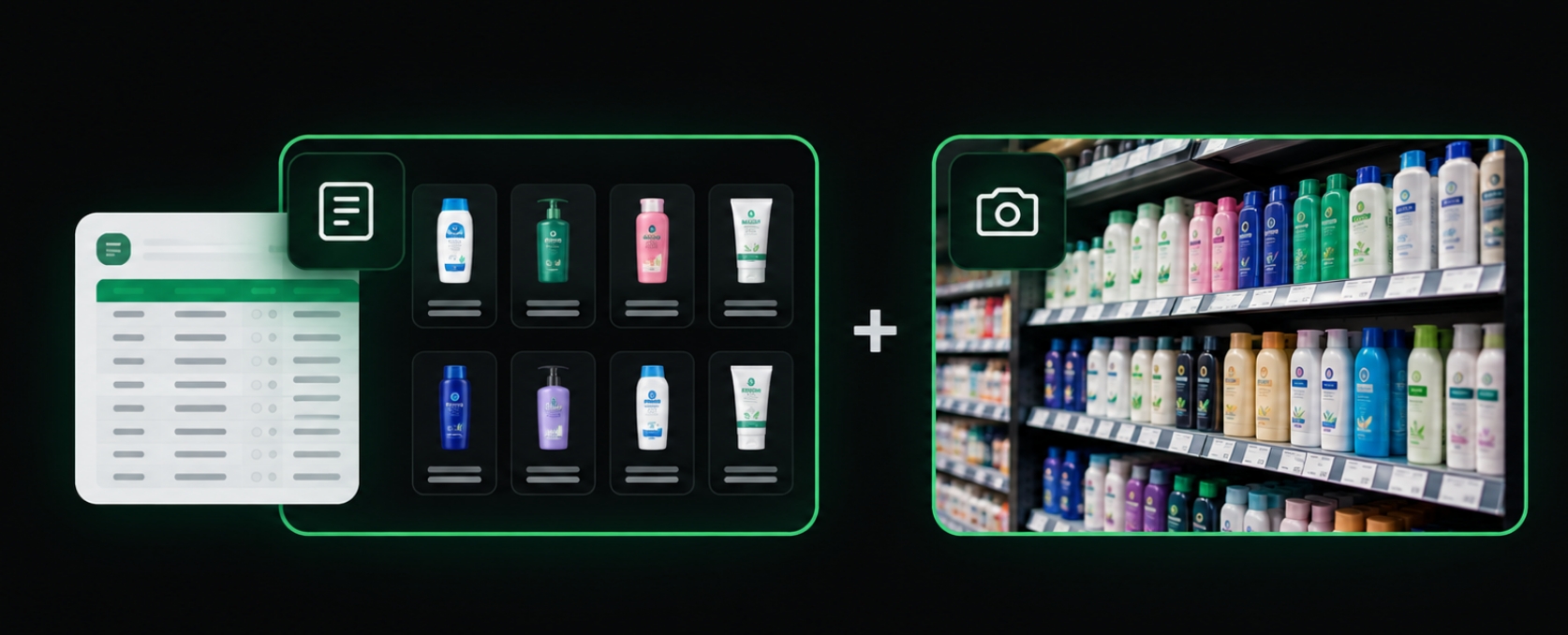
Other tools require a complete product master before getting started. Frogmi works with the catalog that already exists in your operation, which speeds up rollout and shelf analysis.
Get started today
Book a demo and we will show you, step by step, how the planogram is published, implemented, checked for compliance with AI, and made visible to every team.
Book a demoInformation Security at Frogmi is a fundamental part of the business, building trust with our customers and users in the information technologies we operate. Data, based on our information classification, is managed to the highest standards according to the best practices available on the market, which supports our growth and organizational sustainability.
Information Security at Frogmi is made possible by the commitment of Senior Management, promoting a culture of continuous improvement. It also enables the sponsorship of the resources and tools needed to provide a suitable working environment for employees.
Senior Management understands and addresses the importance and benefits of staying compliant not only with ISO 27001 requirements and security best practices, but also with other legal, contractual, and governmental requirements relevant to the organization's context.
At Frogmi, our Information Security policies and procedures are known to all employees in the organization. Where possible, and based on the defined ISMS Communication Plan, our key stakeholders will be informed of our guidelines and best practices.
 Out of position
  Unauthorized
  Out of stock
 The QR opens only from Frogmi, with secure access and each user’s permissions.
 Each update becomes one task per fixture, store by store.